Why Choose an Energy Saving LED Display?
Choosing an energy saving LED display is no longer only an environmental decision. It is a practical way to control operating costs, improve visual performance, and reduce unnecessary power demand. In a busy shopping street, a large screen can run for twelve hours daily. Small efficiency gains then become visible on the monthly electricity bill.
Dr. Shuji Nakamura, a Nobel Prize-winning LED pioneer, once said, “LED lighting is the future of lighting.” His statement remains relevant, but it needs careful interpretation. An energy saving LED display is not automatically efficient because it uses LED modules. Cabinet design, pixel pitch, refresh rate, brightness settings, power-supply efficiency, and heat management all influence real consumption. Poor ventilation can increase temperature and shorten component life. Excessive brightness wastes energy, especially after sunset.
The strongest choice begins with measurable evidence. Buyers should request power consumption data at typical brightness, not only maximum brightness. They should also examine standby usage, front-service access, warranty coverage, and long-term maintenance records. A display with smart brightness control can reduce output during cloudy weather or quiet business hours. That sounds simple. It matters.
Yet energy efficiency is not perfectly predictable. Content style, installation height, climate, and viewing distance change performance. A vivid white advertisement may consume more power than a darker design. This is where honest evaluation becomes important. The best energy saving LED display balances readable images, reliable operation, responsible manufacturing, and verified energy performance. Lower consumption is valuable, but dependable results matter more.
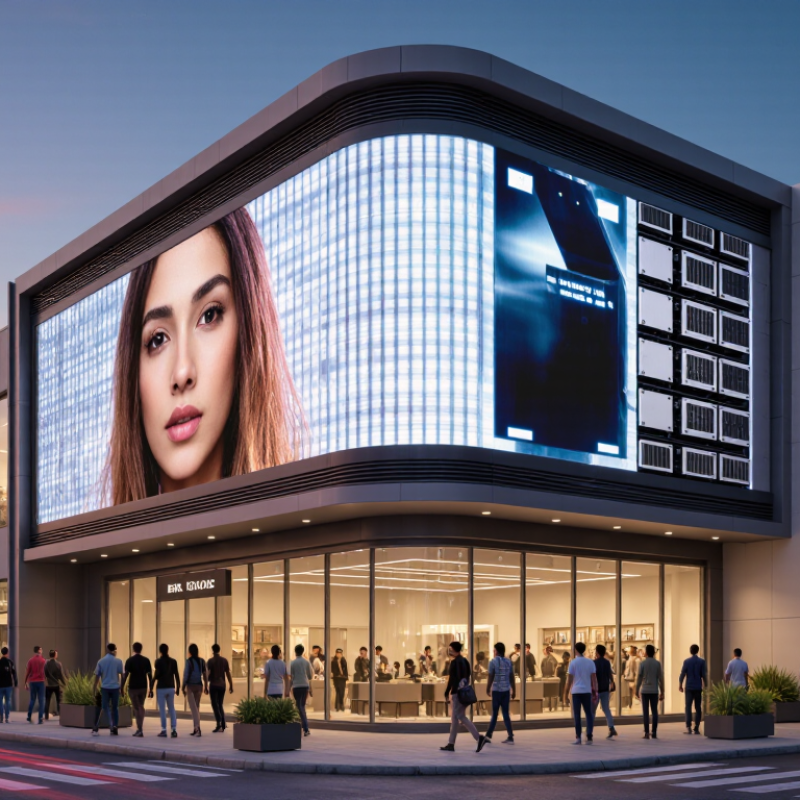
What Is an Energy-Saving LED Display?
An energy-saving LED display is a digital screen designed to deliver clear, stable images with less electricity. It uses light-emitting diodes instead of conventional lamps to create each pixel. The diodes produce direct light, so the display wastes less energy during operation. In practical terms, a properly configured screen can stay visible without using its maximum rated power all day. This matters in shops, transport halls, classrooms, and outdoor information boards.
Energy efficiency comes from several details working together. A light sensor can reduce brightness when clouds cover the sun or indoor lighting becomes softer. Scheduling software can lower output during quiet hours. Efficient power supplies, improved circuit design, and careful thermal control also reduce avoidable losses. Pixel design matters too. Dark areas usually require less power than large white areas, although content and viewing distance affect the result. Small details matter.
During display audits, installation habits often decide real energy use. A screen mounted in shade may need less brightness than one facing direct sunlight. Clean vents support cooling, while excessive brightness creates heat and may shorten component life. The label can mislead. “Energy-saving” does not mean zero consumption, and advertised figures may reflect ideal settings. Buyers should request measured power data, brightness ranges, standby consumption, and test conditions before comparing displays. An honest evaluation should include operating hours, local climate, maintenance, and the content shown. Sometimes, the greener choice is simply turning the screen down. That is easy to overlook.
How Does an Energy-Saving LED Display Work?
Why Choose an Energy Saving LED Display?
An energy-saving LED display works by controlling how much electricity each pixel receives. Inside the cabinet, LED diodes create images through rapid pulse-width modulation, or PWM. The display adjusts current instead of running every diode at full power. Darker content usually requires less energy, although the exact saving depends on the display design.
Ambient-light sensors can reduce brightness during cloudy weather, evenings, or indoor use. This prevents unnecessary glare and lowers power consumption. Efficient power supplies also convert electricity with less heat loss. Good ventilation matters because excessive heat can increase cooling demand and shorten component life. In practical installations, technicians should measure actual consumption with a power meter. Published maximum wattage is not the same as daily operating use. I have seen displays waste energy simply because brightness stayed at 100 percent.
Tips
Set brightness according to viewing conditions, not habit. Use scheduled dimming after business hours. Choose darker layouts when suitable, but keep text readable. Clean vents regularly. Blocked airflow can make the system work harder. Review monthly electricity readings and adjust settings based on evidence. Small changes help. An energy-saving display is not automatically efficient; installation choices and daily operation decide much of the result.
What Features Improve LED Display Energy Efficiency?
Why Choose an Energy Saving LED Display?
Energy-saving LED displays depend on more than efficient diodes. The cabinet’s design, control system, and operating schedule matter equally. The International Energy Agency’s 2023 Energy Efficiency report estimates that lighting uses about 15% of global electricity. This figure shows why every watt saved deserves attention.
Look for automatic brightness sensors. They reduce output in shaded rooms and increase it under strong sunlight. High-efficiency power supplies also limit conversion losses and unnecessary heat. Better thermal management keeps LEDs cooler, which can support stable performance and longer service life. Dynamic content control helps too. Darker layouts and lower refresh rates can reduce consumption when full brightness is unnecessary. The U.S. Department of Energy’s solid-state lighting research identifies efficacy, thermal control, and intelligent operation as major efficiency priorities.
Tips: Set brightness by ambient light, not habit. Schedule dimming during quiet hours. Keep ventilation paths clean. Measure actual power use with a meter.
A practical installation may still consume more energy than expected. Poor calibration, bright white content, or continuous operation can erase theoretical savings. I have seen displays remain at daytime brightness after sunset. That is a simple mistake, but it is common. Energy efficiency should be checked on site, using brightness logs and monthly electricity data. Manufacturer claims are useful starting points, not final proof.
What Are the Benefits of Using an Energy-Saving LED Display?
Energy-saving LED displays reduce electricity use through efficient diodes, adaptive brightness, and smarter scheduling. The benefit becomes visible on monthly utility bills. A large outdoor screen can operate for thousands of hours annually, so small efficiency gains quickly become meaningful. The U.S. Department of Energy reports that modern LED technologies can deliver more light with substantially less energy than conventional lighting systems. However, display performance depends on brightness, pixel density, weather protection, and content design.
Lower consumption also reduces heat output. This can ease air-conditioning demand inside control rooms and indoor venues. The International Energy Agency estimates that lighting represents about 15% of global electricity consumption. LED displays are not identical to lighting products, but the comparison shows why efficiency matters across illuminated equipment. Field installers often observe another advantage: scheduled dimming after midnight can cut unnecessary power use without reducing daytime visibility. Darker content may help, too. Yet this effect varies by display technology and image settings.
Energy-saving models can support longer operating periods and lower maintenance pressure. Less heat may protect power supplies and internal components, although ventilation remains essential. ENERGY STAR testing guidance also shows why measured performance matters more than marketing claims. Buyers should request power consumption at typical brightness, not only maximum output. That is where decisions become less comfortable. A highly efficient display can still waste energy when left fully bright and unattended. Reviewing real operating hours, brightness policies, and standby behavior creates a more reliable estimate.
How to Choose the Right Energy-Saving LED Display?
Choosing the right energy-saving LED display requires more than checking its wattage. Start with the viewing environment. Measure the screen size, viewing distance, daily operating hours, and available power supply. An indoor display usually needs less brightness than an outdoor model, so excessive brightness may waste electricity and strain viewers’ eyes.
Compare energy use per square metre, not only total power. Ask for measured data at typical brightness levels. Check whether the display supports automatic brightness adjustment, sleep schedules, and efficient power control. Pixel pitch also matters. A finer pitch can improve close viewing, but it may increase cost and energy demand. Select the smallest practical pitch, not the finest one.
Tips: Request test reports, safety certifications, warranty terms, and maintenance guidance. Inspect heat management, because poor ventilation can reduce efficiency and shorten component life. Speak with an experienced installer about local climate, mounting conditions, and service access. Real projects often reveal problems that product sheets overlook. I still find that “energy-saving” claims need careful questioning. There is no perfect display. A reliable choice balances image quality, operating cost, durability, and repairability.